01
All inputs in one workspace
Bring worked hours, agency shifts, occupied bed days, and reporting inputs together by facility and period.
Care-minute monitoring and evidence
Keep your systems. CareMin turns the files you already export into care-minute results, RN coverage findings, and traceable evidence.
Backed by Monash University and Fastrack, its startup accelerator program.


CareMin connects worked hours, role classifications, reporting periods, occupied bed days, and supporting evidence in one consistent facility record.
01
Bring worked hours, agency shifts, occupied bed days, and reporting inputs together by facility and period.
02
Apply repeatable eligibility decisions across imports and keep each decision connected to its source.
03
Review facility performance against the applicable targets throughout the reporting period.
04
Keep each import, classification decision, and calculation connected to its supporting record.
Use the same controlled workflow for each facility and reporting period.
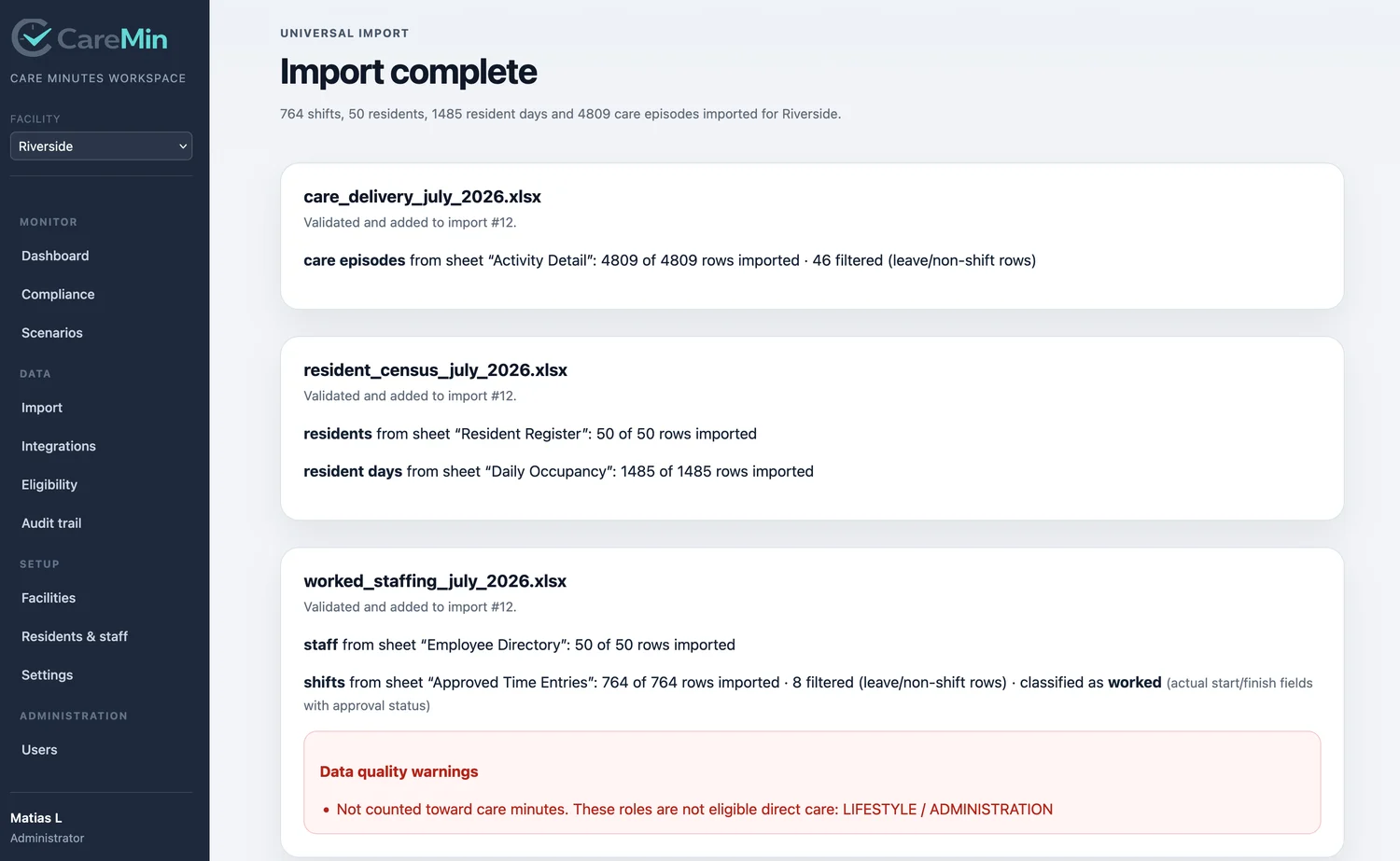
Add worked-hours and resident data from existing systems in common structured formats.
Map roles once and apply consistent eligibility decisions across your imports.
Compare daily and quarter-to-date results with each facility's own targets.
Create PDF, Excel, and CSV outputs while retaining the supporting calculation record.
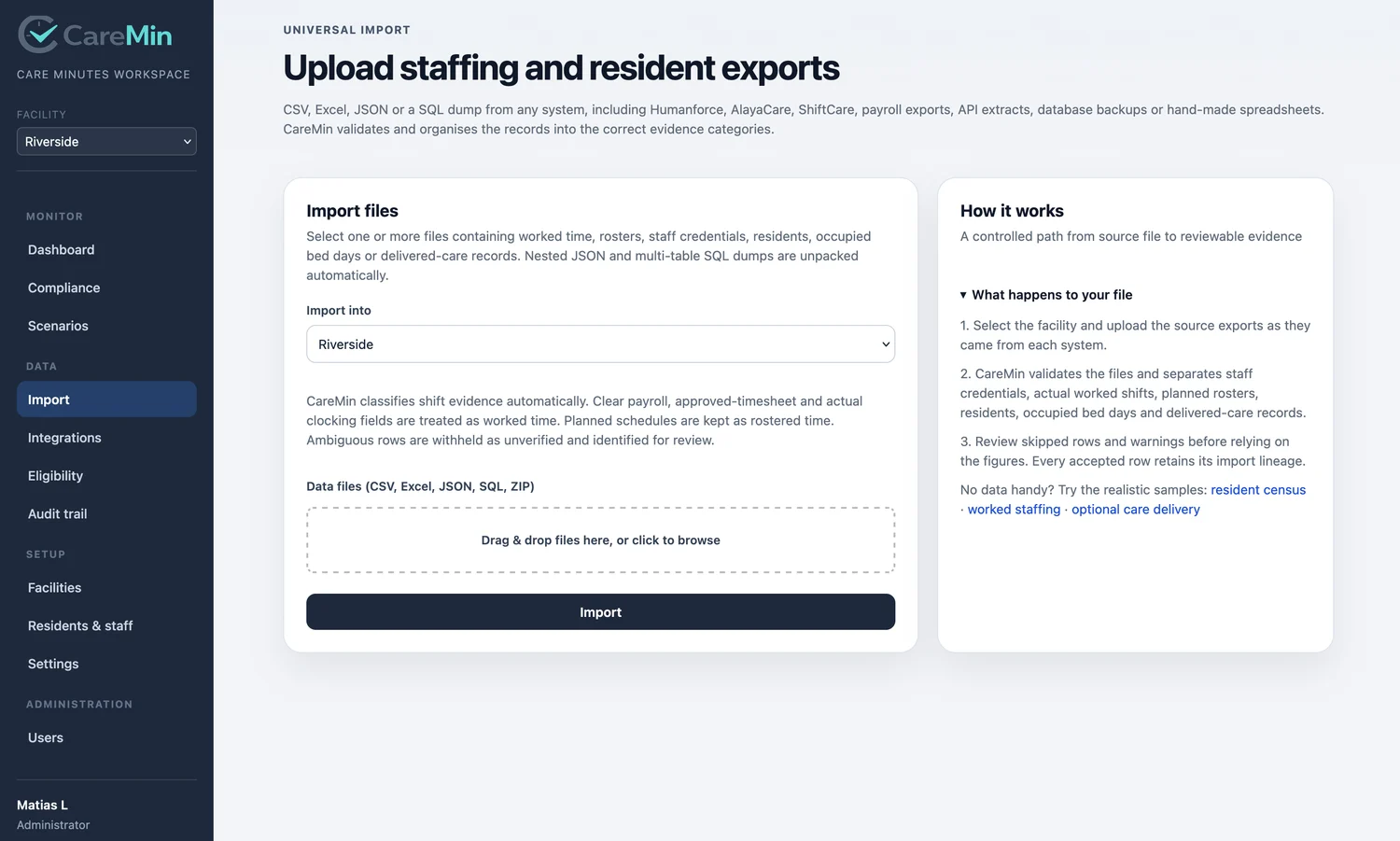
Assign each source file to its facility and reporting period, review the imported data, and retain a structured receipt of the process.
Move easily between current performance, RN coverage, imports, evidence, and planning.
See the current result against the target that applies to each home.
See the continuous RN coverage timeline alongside care-minute performance.
Turn existing exports into a structured, consistent care-minute record.
Move from a reported figure to its source record without leaving CareMin.
Model staffing and occupancy changes in dedicated planning scenarios.
CareMin links every figure to its source file, import receipt, original row, eligibility decision, and calculation version. The supporting record is retained as work progresses.
Move from output to source in a few steps.
See the records and decisions connected to every result.
Evidence lineage
Record linkedCareMin is shaped around Australian residential aged care reporting. It brings care-minute monitoring, relevant Quarterly Financial Report inputs, and monthly RN coverage into a connected operating view.
The 2025-26 Aged Care Financial Report introduces the externally audited Care Minutes Performance Statement, with the first statement due on 31 October 2026.
Current Australian Government program guidance and targets.
Facility-level labour costs and hours reporting.
Monthly reporting and absences of 30 minutes or more.
External audit requirements and preparation guidance.
Current text on the Federal Register of Legislation.
Source-linked guidance for the reporting tasks behind CareMin, including the first audited Care Minutes Performance Statement.
See how CareMin brings worked hours, occupied bed days, role decisions, RN coverage, calculations, and supporting evidence into one controlled record.
Understand the first externally audited statement, the reporting periods it covers, the data it contains, and the records an auditor may request.
A practical guide to monthly RN coverage reporting, reportable absences, evidence, and the distinction between coverage and RN care minutes.
Connect quarterly labour-hours reporting with worked care minutes, occupied bed days, home-specific targets, and year-end reconciliation.
Prepare the source records, calculations, controls, and explanations that support a Care Minutes Performance Statement audit.
Estimate total, RN-only, and RN-plus-EN minutes per occupied bed day and quantify the hours required to close a target gap.
Each team works from the same facility data, classifications, and supporting evidence.
Review daily performance and address staffing variance.
See RN coverage and care-minute performance together.
Build reporting evidence as the work happens.
Compare homes and coordinate support across the organisation.
Reconcile hours, costs, and reporting inputs in one place.
How CareMin fits into an existing care-minute reporting process.
Yes. CareMin works with common structured exports for staffing, rosters, and occupied bed days, bringing them together in one facility workspace.
Yes. Provider teams can manage multiple facilities, view each home separately, and compare performance across the organisation.
Each home's own care-minute and RN targets are stored in CareMin and applied throughout its daily and quarter-to-date views.
Teams can create CSV, Excel, and PDF outputs for operational reviews, leadership reporting, and evidence preparation.
Facility managers, Directors of Nursing, compliance teams, operations leaders, and finance teams can all work from the same care-minute record.
CareMin gives your team a connected workspace for monitoring and evidence preparation, ready to support your existing government reporting workflow.
CareMin holds staffing and resident information on behalf of your organisation. These commitments are published in full, alongside our retention and overseas processing practices, in the privacy notice.
Customer operational data stored by the CareMin application is hosted in Australia.
Personal information is handled in accordance with the Privacy Act 1988 (Cth) and the Australian Privacy Principles where they apply.
Customer operational data is not shared with other CareMin customers, data brokers, or unrelated third parties.
We do not sell personal information or share it for advertising.
Review imports, facility performance, RN coverage, evidence, and reporting outputs using a representative workflow.
Prefer email? Write to demo@caremin.care.
Your workspace will be ready shortly.